Who Becomes the Zombie? Choosing Roles for the Zombie Couple Video
How to choose who plays the survivor and who becomes the zombie in the AI zombie love story, why photo order differs between tools, and which photos to use.
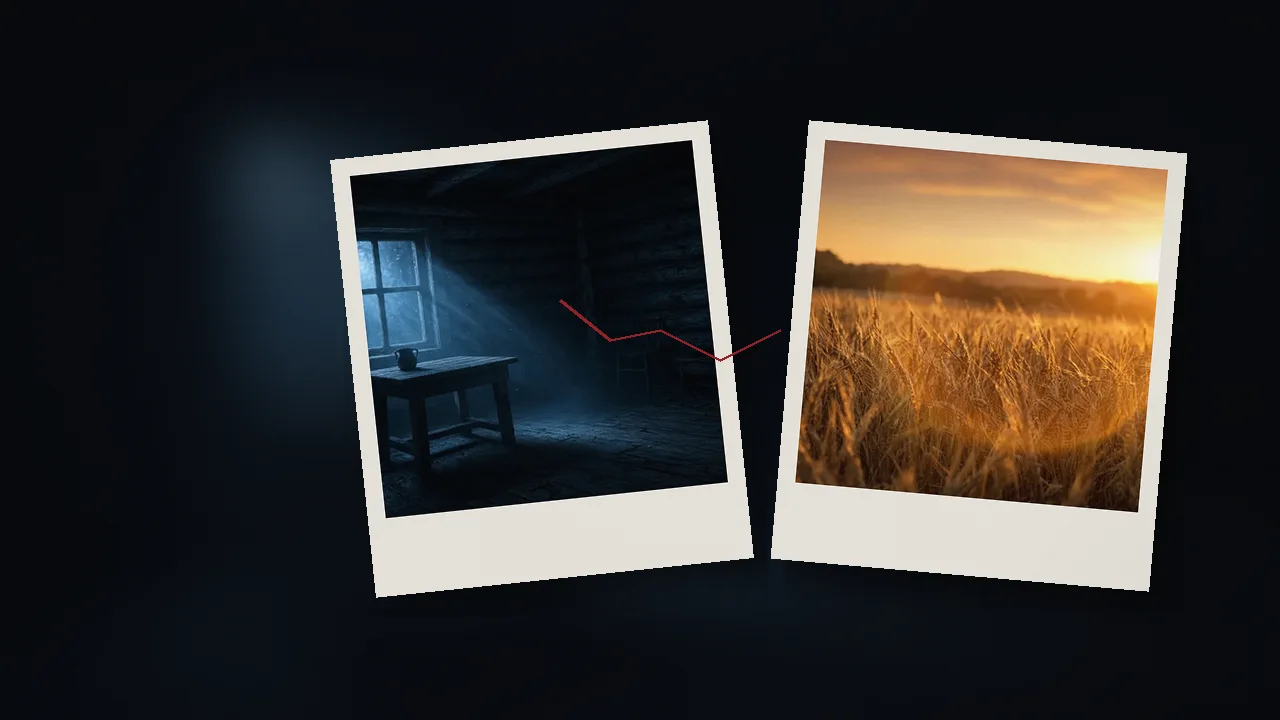
Short answer: Decide before you upload. The survivor is the one who takes aim and can't go through with it; the zombie is the one they love, who has turned. Then check your tool's labels, because some generators want the zombie's photo first and others want the survivor's. On ours, Photo 1 is the survivor and Photo 2 turns zombie.
The zombie love story only works when the right person is in the right role. It's also an easy step to get wrong, because there's no standard. This guide explains what each role means on screen, how different tools handle the photos, and how to pick photos that keep both of you recognizable.
Quick facts
Question | Answer |
|---|---|
How many photos? | Most of the tools we checked use two separate photos, one per person. At least one uses a single couple photo |
The survivor | In the popular versions: takes aim, hesitates, lowers their arms and opens them |
The zombie | In the popular versions: pale skin and clouded eyes in the dark scene, then their normal self in the memory |
Is photo order standard? | No. Some tools put the zombie first, others the survivor |
On our generator | Photo 1 is the survivor, Photo 2 turns zombie, and they must be two different people |
Does gender matter? | No. Any couple works: a man and a woman, two women, two men |
Best photos | One person per photo, facing the camera, good light, whole face visible |
The two roles, explained
The survivor carries the emotion of the video. They're the one crying, hesitating and finally choosing love over fear. Their face is on screen in the tense close-ups, so pick the person whose expressions you most want to see.
The zombie carries the transformation. They appear with grey or pale skin and clouded eyes in the cold scene, then as their normal, healthy self in the happy memory. If one of you would enjoy the dramatic makeover, that's your zombie. On our generator, nothing about the zombie look is gory.
A few ways couples decide:
- Whoever asked. If the video answers "Would you still love me as a zombie?", one fun option is to cast the person who asked as the zombie.
- The surprise. If you're making it for your other half, cast them as the survivor so the story is about them choosing you, or as the zombie so it's about you choosing them.
- Both. Make two videos and switch which photo goes first.
Why photo order matters (and why it's different everywhere)
There's no standard upload order. Here's what several tools say on their own pages (checked October 17, 2026):
| Tool | What it asks for |
|---|---|
ImageLayered | First photo becomes the zombie, second is the survivor; has a "Swap roles" button |
| ZOOOP | Upload the one who turns first, then yourself second |
AnimatePhoto | The first person becomes the zombie; the second takes aim and can't go through with it |
| CubistAI | Photo 1 is the survivor, photo 2 becomes the zombie; has "Swap roles" |
| Media.io | Image 1 is the human survivor, Image 2 is the infected one |
GoEnhance | One couple photo; according to its page, the AI turns one of you into the zombie |
Zombie Couple AI (ours) | Photo 1 is the survivor, Photo 2 turns zombie |
So the same two photos can produce opposite stories depending on the tool. Always read the label on each upload box before you generate.
Two separate photos vs. one couple photo
Two separate photos give the generator a clear, large view of each face, and let you decide exactly who plays which role. Most of the tools we checked use this format, including ours.
One couple photo is convenient if you have a great picture of the two of you together. The trade-off is less control: with at least one tool, the AI decides who becomes the zombie, and each face takes up less of the frame.
If you can, use two separate photos.
Any couple, any gender
People often search for the trend as "zombie girlfriend" or "zombie boyfriend", but the roles have nothing to do with gender. Either person can be the survivor and either can be the zombie, and the story works for any couple: a man and a woman, two women, two men. ImageAt's page makes the same point about its own template: in the original clip the two are a man and a woman, "but either photo can be anyone." Just upload each photo into the box that matches the role, not the box you think matches the original video.
Choosing photos that keep you recognizable
Likeness is what makes the video yours. These choices help most:
- One person per photo. Crop out other people and busy backgrounds full of faces.
- Face the camera. A straight-on or slight-angle shot works better than a side profile.
- Good, even light. Daylight from a window beats a dark restaurant or a strong colored filter.
- Nothing covering the face. No sunglasses, masks, big hats or hands near the face.
- A recent photo. The memory shows the two of you as you are, so recent photos read as "us".
- Similar quality for both. If one photo is sharp and the other is blurry, the difference shows in the video.
For more detail, see our photo tips for a zombie couple video.
Checking the result before you post
Watch the video once with these questions in mind:
- Is the survivor the right person, and the zombie the right person?
- Do both faces still look like you in the zombie scene?
- In the memory, does the one who turned look like their normal self again?
- Does the ending look natural?
If the roles came out reversed, check the upload order first. If a face looks off, try a clearer, better-lit photo. When it looks right, follow How to Do the Zombie Love Story Trend on TikTok and Reels to post it.
Make it with clear roles from the start
Our generator keeps it simple: upload two photos of two different people. Photo 1 is the survivor, and Photo 2 is the one who turns zombie. Then pick a story: Cabin Romance, which flashes from a cabin to the two of you standing in a sunset wheat field, or Carnival at Night, our original scene in an abandoned amusement park with a rusty carousel and a slowly turning Ferris wheel, which flashes to a hug. Each video runs 15–16 seconds: a zombie scene of about 10 seconds, a white flash, then a memory of about 6 seconds. It's vertical 9:16, 480p, with sound effects, no watermark and nothing gory. Credits cost $4.99 for one video, $9.99 for three and $14.99 for five (about $3 a video), so the three-video pack covers both role versions with one to spare. If a generation fails, the credit is returned automatically. Start here.
FAQ
Can I choose which of us becomes the zombie? With the two-photo tools we checked, yes: the role depends on which photo slot you use. On ours, whoever is in Photo 1 is the survivor and whoever is in Photo 2 turns zombie. With at least one single couple-photo tool, the AI decides for you.
Which photo goes first in the zombie love story? It depends on the tool. Some want the zombie first, others the survivor. On ours, the survivor goes first. Read the label on each upload box.
Can a same-sex couple do the zombie couple trend? Yes. The roles aren't tied to gender. Any couple works: a man and a woman, two women, two men.
Why doesn't the zombie look like the person in my photo? Usually it's the photo: a small face, a side angle, poor light or sunglasses. Use a clear, front-facing photo of one person.
Can I use one photo of both of us? Some tools accept one couple photo, but two separate photos give clearer faces and let you choose the roles. Ours uses two photos of two different people.
Sources
- ImageLayered, AI Zombie Video Generator (checked Oct 17, 2026): https://imagelayered.com/tools/ai-zombie-video-generator
- ZOOOP, Zombie Love Story template (checked Oct 17, 2026): https://zooop.ai/templates/video/zombie-love-story
- AnimatePhoto, AI Zombie Video Generator (checked Oct 17, 2026): https://animatephoto.io/video-effects/ai-zombie
- CubistAI, AI Zombie Couple Video Generator (checked Oct 17, 2026): https://cubistai.app/ai-zombie-couple-video-generator
- Media.io, Zombie Love Story AI Video Generator (checked Oct 17, 2026): https://www.media.io/ai/explore/zone/zombie-love-story-ai-video-generator
- GoEnhance, AI Zombie Couple Video (checked Oct 17, 2026): https://www.goenhance.ai/video-effects/ai-zombie-couple-video
- ImageAt, Choice Zombie Love Story (role/gender FAQ): https://imageat.com/trends/choice-zombie-love-story-ai-video